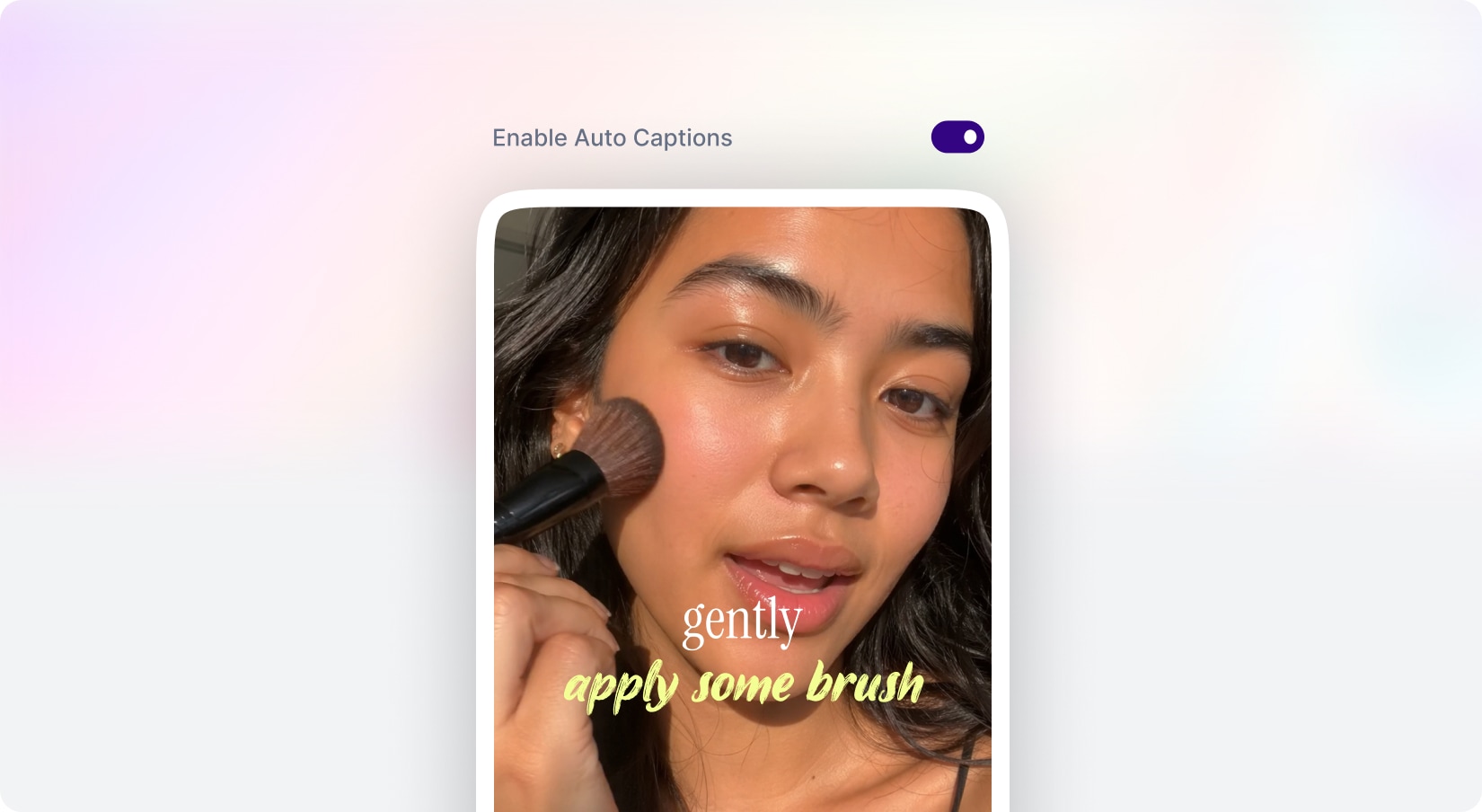
Let users easily craft stunning captions and subtitles for their videos. They can upload a new clip or choose from their library, select from stylish caption templates that fit their content’s mood, and generate a captioned video instantly. MagicAI quickly adds precise, eye-catching subtitles in seconds, boosting accessibility and viewer engagement.
With new budget-friendly API alternatives, you can achieve more while spending less. Use cleanup to remove imperfections, inpainting to add or replace elements, and reimagine to completely transform an image into something new. The generative fill feature allows you to intelligently fill in missing parts of an image, while the upscaler ensures high image quality even when enlarged. If you’re working with sketches, the sketch to image tool brings your hand-drawn ideas to life, converting them into polished visuals. Additionally, the remove and replace background tools give you full control over your image customization, making it easy to adapt your visuals for various use cases, from product shots and promotional materials to social media content.
Included with Premium Membership
AI Dubbing
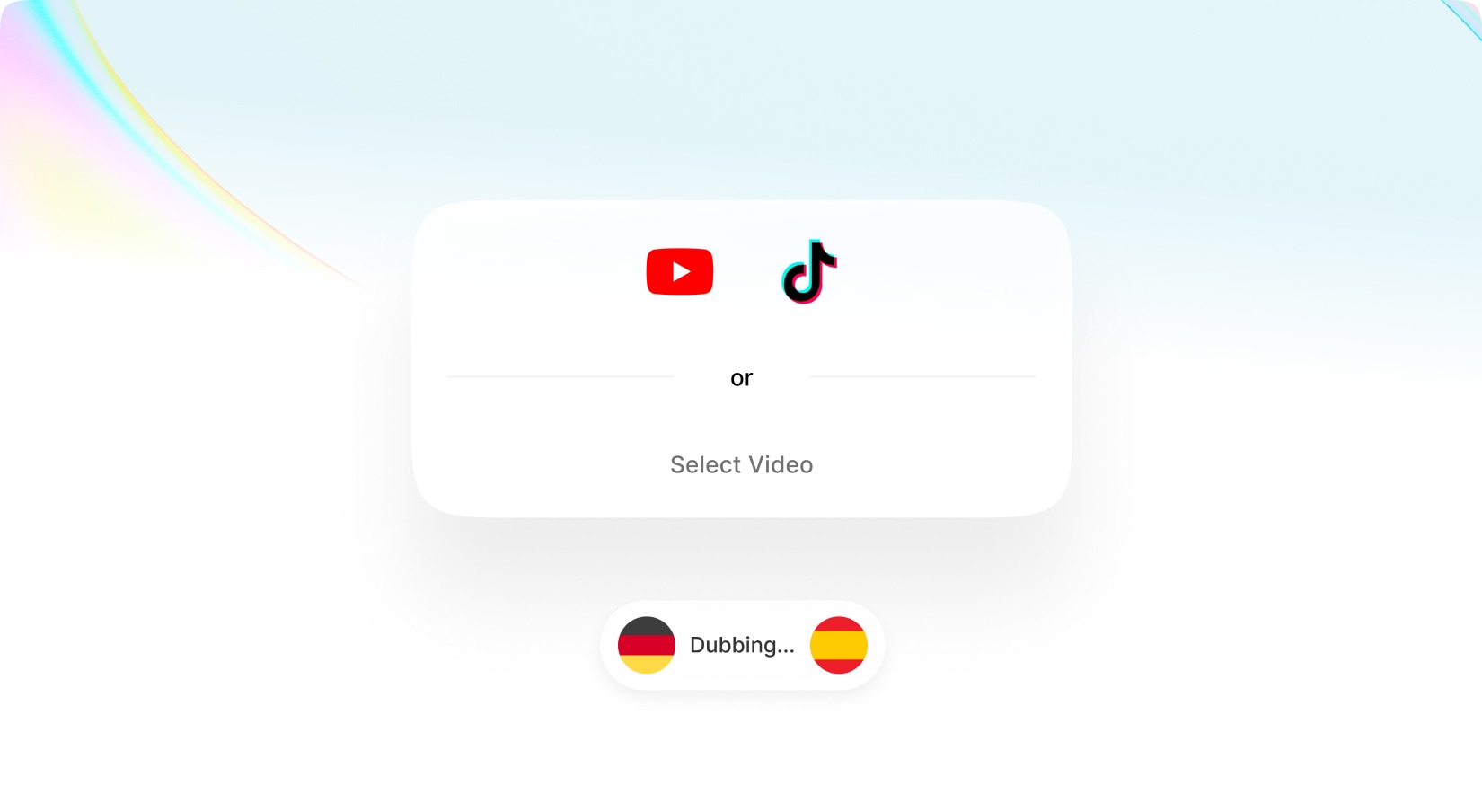
Easily translate your YouTube, TikTok, or any uploaded videos into dozens of languages with just one click. MagicAI not only recognizes the language spoken but also detects the number of speakers and the original source language. This powerful tool lets you translate your video into multiple languages simultaneously, delivering fast and accurate results within seconds so you can expand your audience globally and break language barriers effortlessly.
With new budget-friendly API alternatives, you can achieve more while spending less. Use cleanup to remove imperfections, inpainting to add or replace elements, and reimagine to completely transform an image into something new. The generative fill feature allows you to intelligently fill in missing parts of an image, while the upscaler ensures high image quality even when enlarged. If you’re working with sketches, the sketch to image tool brings your hand-drawn ideas to life, converting them into polished visuals. Additionally, the remove and replace background tools give you full control over your image customization, making it easy to adapt your visuals for various use cases, from product shots and promotional materials to social media content.
New Web Search Tool
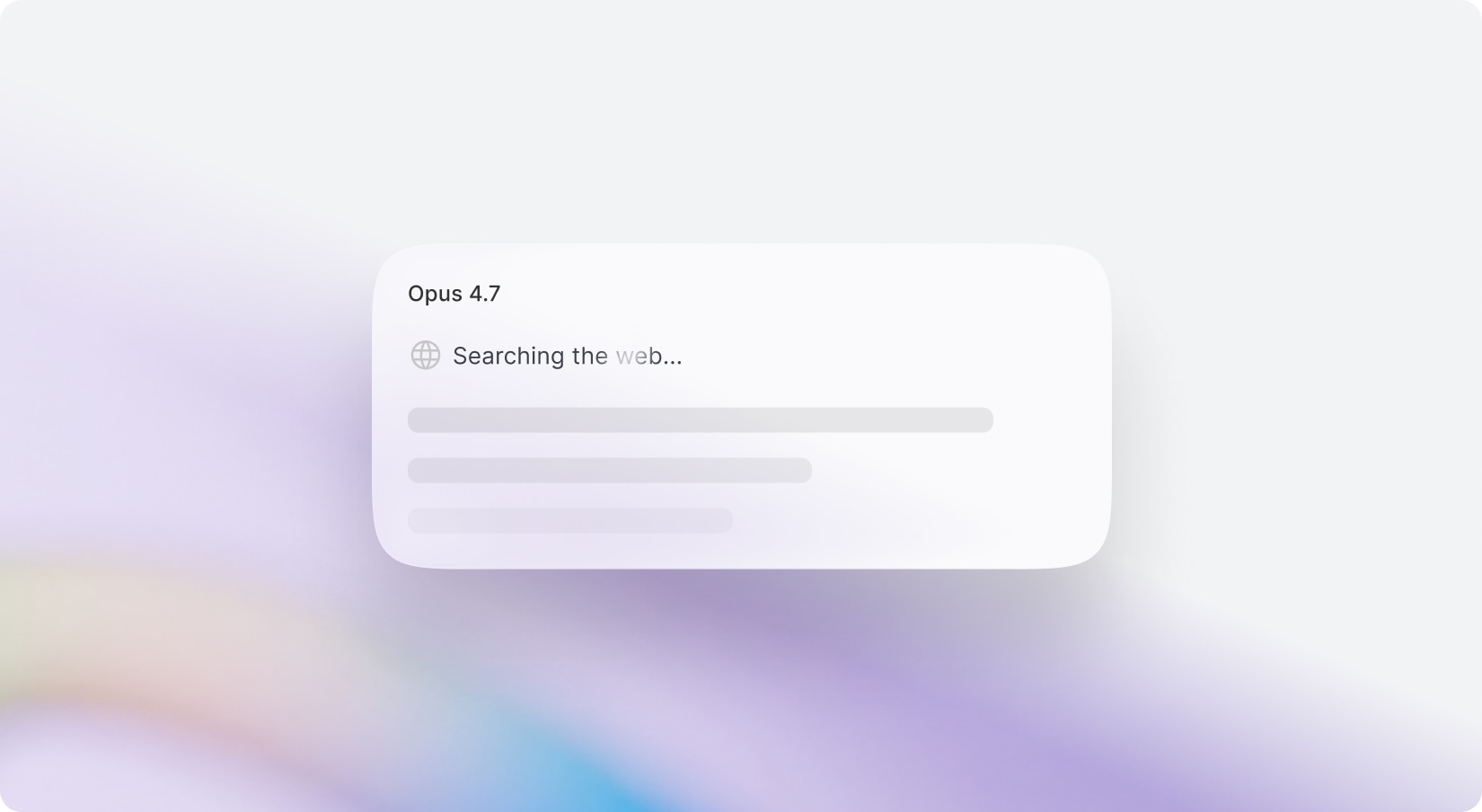
Discover the power of seamless web search integration across all OpenAI, Gemini, and Anthropic models! Now, you can pair any model—not just GPT-4o—with a real-time web search tool for the freshest, most accurate results. Opt for any AI model with web search enabled, and experience direct, optimized access without defaulting to GPT-4o’s search preview. Prefer the classic GPT-4o? It’s still available for your convenience.
With new budget-friendly API alternatives, you can achieve more while spending less. Use cleanup to remove imperfections, inpainting to add or replace elements, and reimagine to completely transform an image into something new. The generative fill feature allows you to intelligently fill in missing parts of an image, while the upscaler ensures high image quality even when enlarged. If you’re working with sketches, the sketch to image tool brings your hand-drawn ideas to life, converting them into polished visuals. Additionally, the remove and replace background tools give you full control over your image customization, making it easy to adapt your visuals for various use cases, from product shots and promotional materials to social media content.
Included with Premium Membership
AI Photoshoot
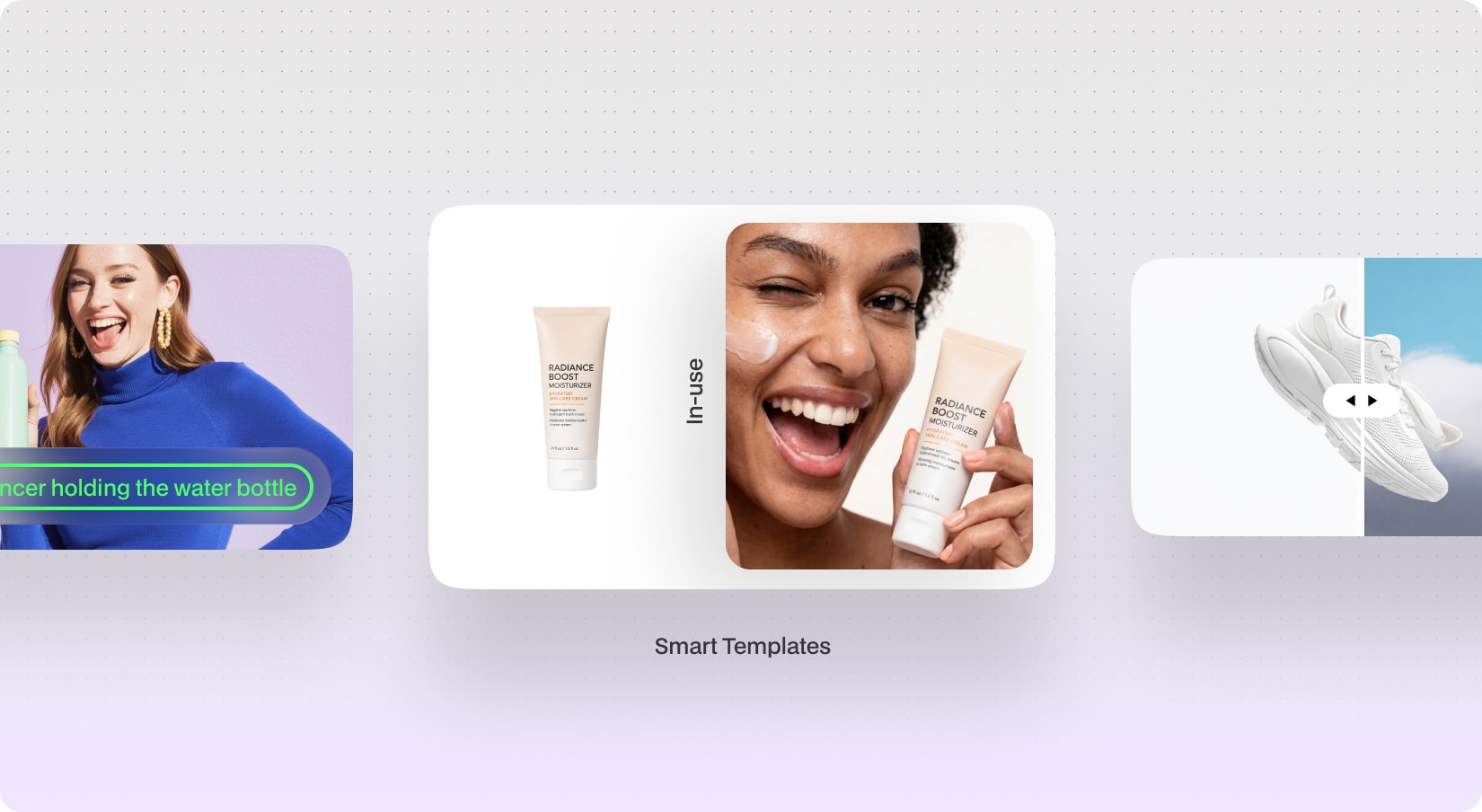
Create stunning AI-powered product photography in seconds with AI Photoshoot. Designed for eCommerce, marketing, and branding workflows, AI Photoshoot allows users to generate realistic product visuals using custom prompts, professional templates, or intelligent background replacement. Whether you want studio-quality product shots, lifestyle imagery, UGC-style content, or billboard-ready advertising visuals, the AI automatically creates polished and high-quality outputs tailored to your product and creative direction.
Perfect for: Social media campaigns, eCommerce photography, advertisements, marketing agencies
Powered by GPT Image 2.0 / NanoBanana 2
With new budget-friendly API alternatives, you can achieve more while spending less. Use cleanup to remove imperfections, inpainting to add or replace elements, and reimagine to completely transform an image into something new. The generative fill feature allows you to intelligently fill in missing parts of an image, while the upscaler ensures high image quality even when enlarged. If you’re working with sketches, the sketch to image tool brings your hand-drawn ideas to life, converting them into polished visuals. Additionally, the remove and replace background tools give you full control over your image customization, making it easy to adapt your visuals for various use cases, from product shots and promotional materials to social media content.
Included with Premium Membership
DM/Comment Agent for Social Media
Automate your social media engagement with powerful AI agent that respond to comments, send DMs, and interact with your audience automatically across multiple platforms. The new Automation Builder for Social Media Suite allows you to create advanced comment and messaging Agents using an intuitive visual workflow interface.
Whether you want to instantly reply to comments, send personalized direct messages, capture leads, promote campaigns, or automate customer engagement, the Automation Builder helps you create smart agents in minutes.
Instagram – Automate comment replies and DM flows for posts and reels.
Facebook – Respond to comments and engage users automatically through Messenger.
X (Twitter) – Create automated workflows for supported replies and interactions.
Create automations using a modern workflow interface.
Trigger automations when users comment on your content.
Send personalized direct messages automatically after interactions.
Optional: Start automations when comments contain specific keywords or phrases
Apply automations to a specific post, all posts, or only the next published post.
Automatically reply publicly to comments with randomized response variations.
Reduce spam detection by rotating multiple response variations automatically.
Add text, buttons, quick replies, images, and delays inside your response.
With new budget-friendly API alternatives, you can achieve more while spending less. Use cleanup to remove imperfections, inpainting to add or replace elements, and reimagine to completely transform an image into something new. The generative fill feature allows you to intelligently fill in missing parts of an image, while the upscaler ensures high image quality even when enlarged. If you’re working with sketches, the sketch to image tool brings your hand-drawn ideas to life, converting them into polished visuals. Additionally, the remove and replace background tools give you full control over your image customization, making it easy to adapt your visuals for various use cases, from product shots and promotional materials to social media content.
Included with Premium Membership
AI Designer for Creative Suite
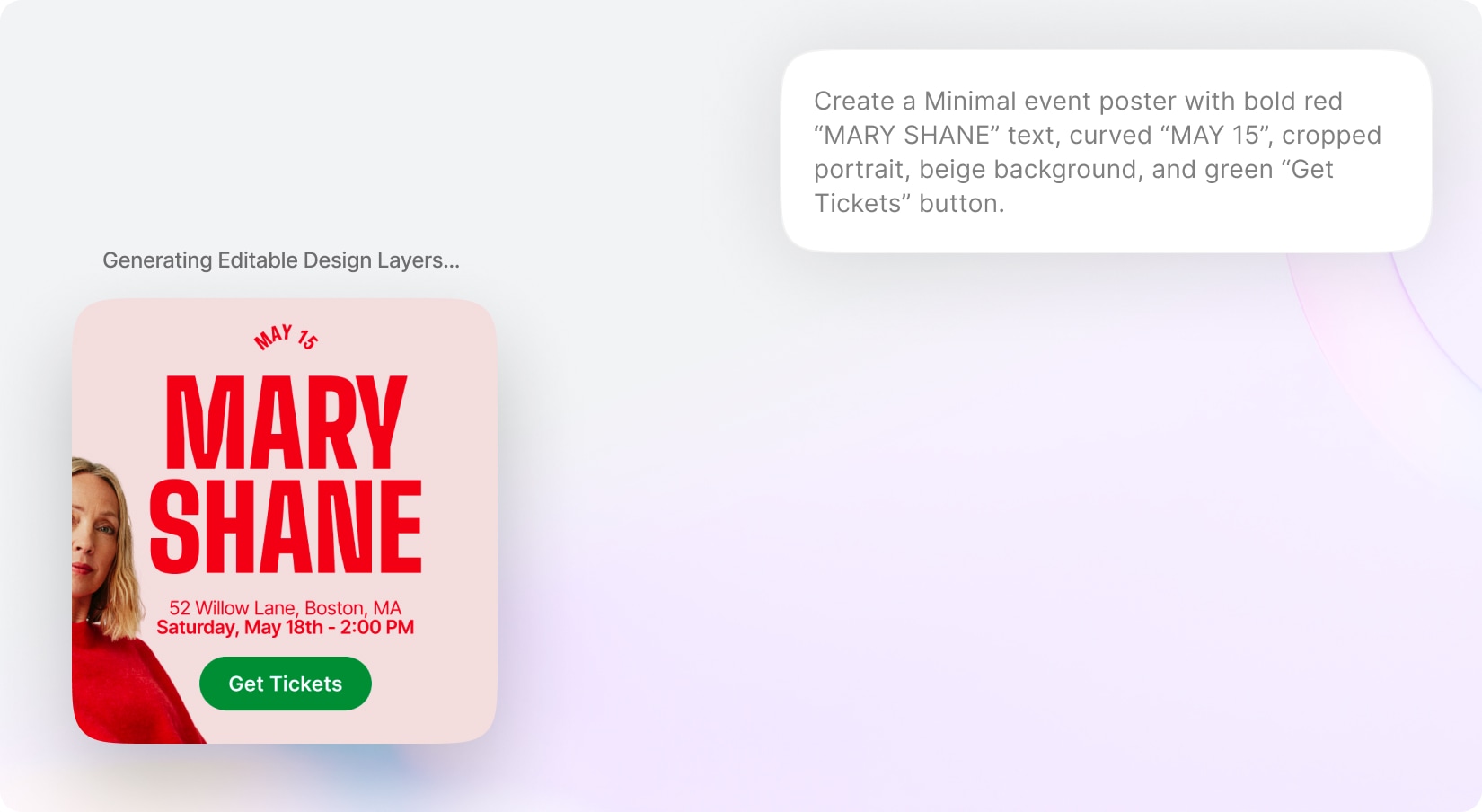
Bring AI-powered graphic design generation directly into Creative Suite with the new AI Designer. Users can simply describe the type of design they want — such as social media posts, advertisements, banners, promotions, presentations, flyers, or marketing creatives — and the AI will automatically generate a complete editable design. The AI understands the user’s intent and intelligently creates layouts, copywriting, images, composition, typography, and visual hierarchy to produce professional-looking creatives in seconds. Generated designs are fully editable inside Creative Suite, allowing users to replace text, swap images, customize elements, and continue refining the design manually after generation.
Easily edit, replace, or customize generated text and image.
Create visuals that align with different styles, industries, and campaign goals.
With new budget-friendly API alternatives, you can achieve more while spending less. Use cleanup to remove imperfections, inpainting to add or replace elements, and reimagine to completely transform an image into something new. The generative fill feature allows you to intelligently fill in missing parts of an image, while the upscaler ensures high image quality even when enlarged. If you’re working with sketches, the sketch to image tool brings your hand-drawn ideas to life, converting them into polished visuals. Additionally, the remove and replace background tools give you full control over your image customization, making it easy to adapt your visuals for various use cases, from product shots and promotional materials to social media content.
Included with Premium Membership
Annotation for AI Creative Suite
Enhance image editing precision with the new Annotation Mode for AI Creative Suite. Users can visually guide AI edits by selecting specific areas on an image, replacing texts, drawing masks, or attaching comments and instructions directly to make edits with AI. Annotation Mode makes edits more context-aware and controlled, helping users communicate exactly what should be changed while maintaining a smooth and reliable editing workflow. The system supports text replacement on rasterized images, comments, brushing and shape-based selections.
Edit images by visually selecting areas, replacing texts, drawing masks, and adding comments.
Enable a dedicated editing mode for creating targeted AI edit instructions on images.
Replace text inside rasterized (AI-Generated) images with AI-powered text detection.
Automatically analyzes the image, detects existing text elements, and allows users to replace them.
Add comments or edit instructions tied to specific points or regions on the image.
Paint masks freely for precise area selection and detailed edits.
Use rectangle, circle, lasso, or similar tools to define editable areas visually.
With new budget-friendly API alternatives, you can achieve more while spending less. Use cleanup to remove imperfections, inpainting to add or replace elements, and reimagine to completely transform an image into something new. The generative fill feature allows you to intelligently fill in missing parts of an image, while the upscaler ensures high image quality even when enlarged. If you’re working with sketches, the sketch to image tool brings your hand-drawn ideas to life, converting them into polished visuals. Additionally, the remove and replace background tools give you full control over your image customization, making it easy to adapt your visuals for various use cases, from product shots and promotional materials to social media content.
Included with Premium Membership
Skills
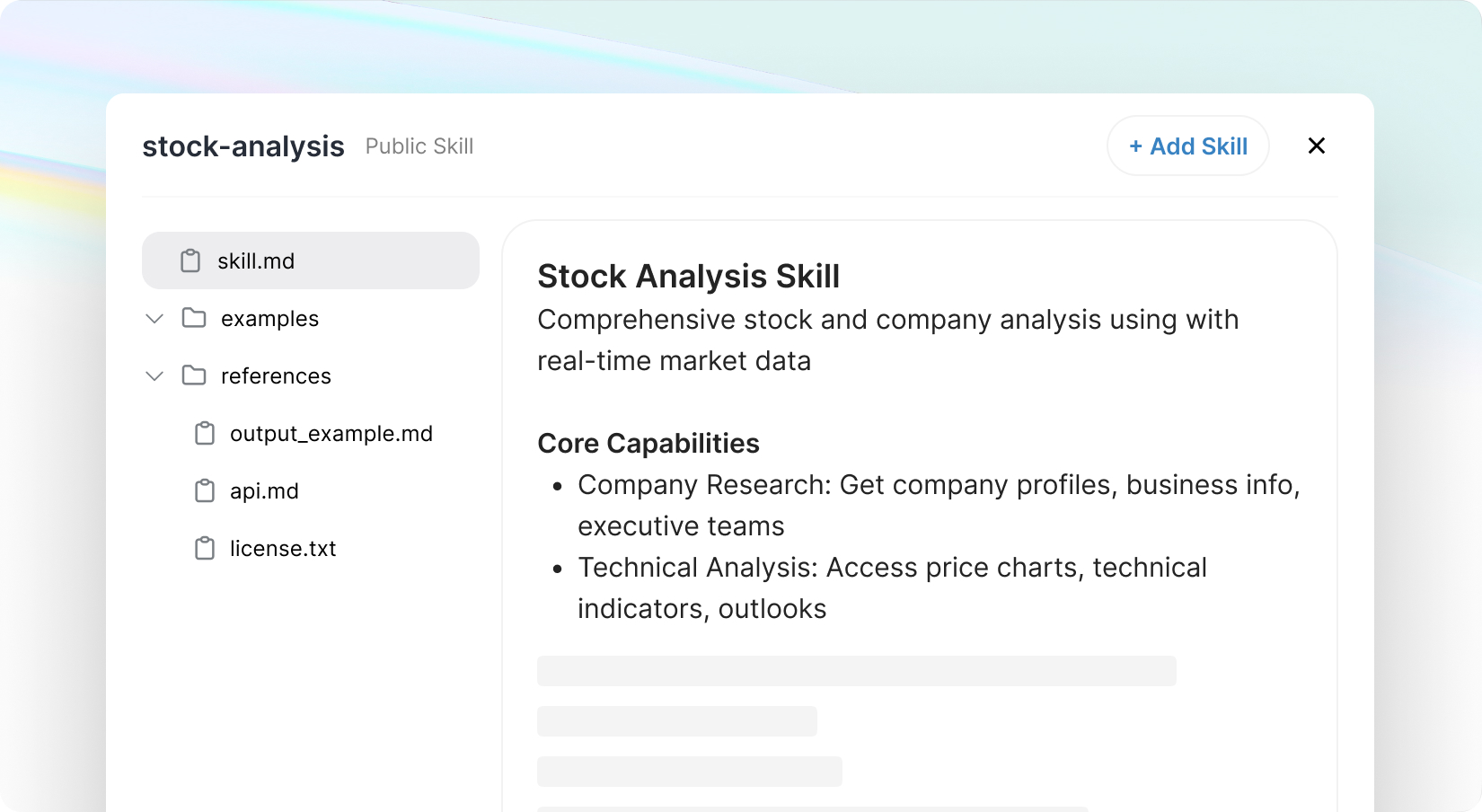
Taking your AI Chat Pro experience to the next level with the new Skills System. Easily create, import, and reuse powerful AI capabilities using /skill-creator, or add ready-made Skills—including multi-file setups with resources and references—via file upload or GitHub.
With built-in tools for creation, validation, and previews, everything flows smoothly. Instantly trigger and search Skills or let the AI apply them automatically when needed. Let your users can craft their own skills or build a personalized Skill Archive as an admin. Optimized for performance with smart loading, Skills bring smarter,
more customizable interactions to your AI.
Support multi-file Skills with resources & references
Built-in validation and preview before install
Search and manage personal & public Skill libraries
Admin-controlled shared Skill archive
Trigger Skills instantly or run automatically
With new budget-friendly API alternatives, you can achieve more while spending less. Use cleanup to remove imperfections, inpainting to add or replace elements, and reimagine to completely transform an image into something new. The generative fill feature allows you to intelligently fill in missing parts of an image, while the upscaler ensures high image quality even when enlarged. If you’re working with sketches, the sketch to image tool brings your hand-drawn ideas to life, converting them into polished visuals. Additionally, the remove and replace background tools give you full control over your image customization, making it easy to adapt your visuals for various use cases, from product shots and promotional materials to social media content.
Included with Premium Membership
AI Council Mode
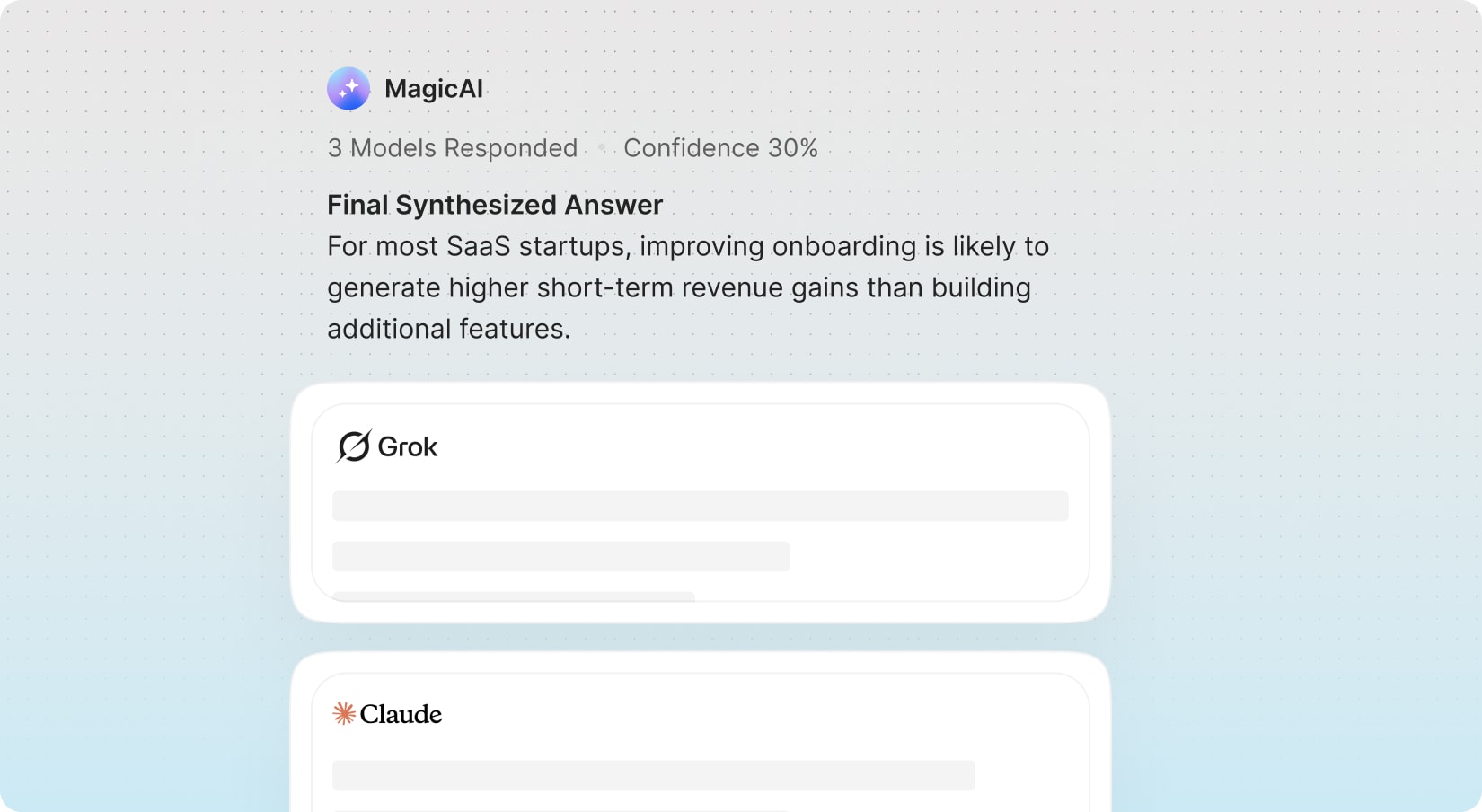
Model Council & Collaboration lets you run multiple AI models in parallel (OpenAI, Gemini, Anthropic, and more) and combines their outputs into a single response.
Each prompt is analyzed across selected models, with results aggregated into a structured view showing agreements, disagreements, and key insights—followed by a refined Consensus Answer with a confidence score. Users can explore individual model outputs, while the system intelligently handles failures and ensures smooth performance.
With new budget-friendly API alternatives, you can achieve more while spending less. Use cleanup to remove imperfections, inpainting to add or replace elements, and reimagine to completely transform an image into something new. The generative fill feature allows you to intelligently fill in missing parts of an image, while the upscaler ensures high image quality even when enlarged. If you’re working with sketches, the sketch to image tool brings your hand-drawn ideas to life, converting them into polished visuals. Additionally, the remove and replace background tools give you full control over your image customization, making it easy to adapt your visuals for various use cases, from product shots and promotional materials to social media content.
Included with Premium Membership
AI Deep Research
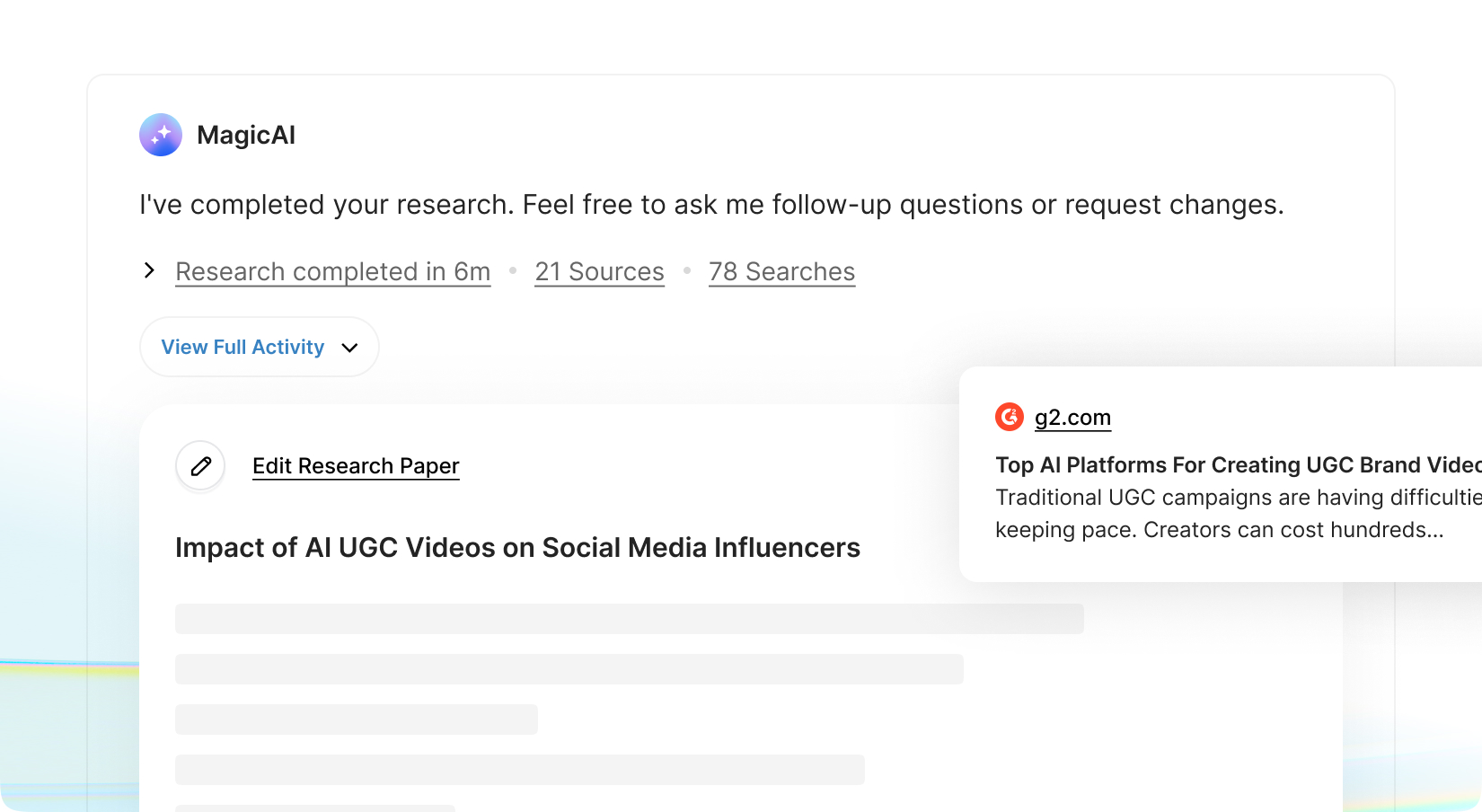
Unlock advanced Deep Research capabilities directly within your chat experience. Your users can now instantly switch to Deep Research Mode and transform simple prompts into comprehensive, multi-step investigations. When activated, queries are routed through research-capable AI providers such as OpenAI and Gemini, ensuring access to models optimized for analytical depth, structured reasoning, web research, and extended context handling alongside with the source and citations.
Turn simple prompts into structured, multi-step investigations
Leverage research-optimized high-reasoning models from OpenAI & Gemini
Generate deeper, more analytical, and structured answers
Handle complex topics with extended context and reasoning
Set limits per pricing plan
With new budget-friendly API alternatives, you can achieve more while spending less. Use cleanup to remove imperfections, inpainting to add or replace elements, and reimagine to completely transform an image into something new. The generative fill feature allows you to intelligently fill in missing parts of an image, while the upscaler ensures high image quality even when enlarged. If you’re working with sketches, the sketch to image tool brings your hand-drawn ideas to life, converting them into polished visuals. Additionally, the remove and replace background tools give you full control over your image customization, making it easy to adapt your visuals for various use cases, from product shots and promotional materials to social media content.
Smart Image Display for AI Chat Pro
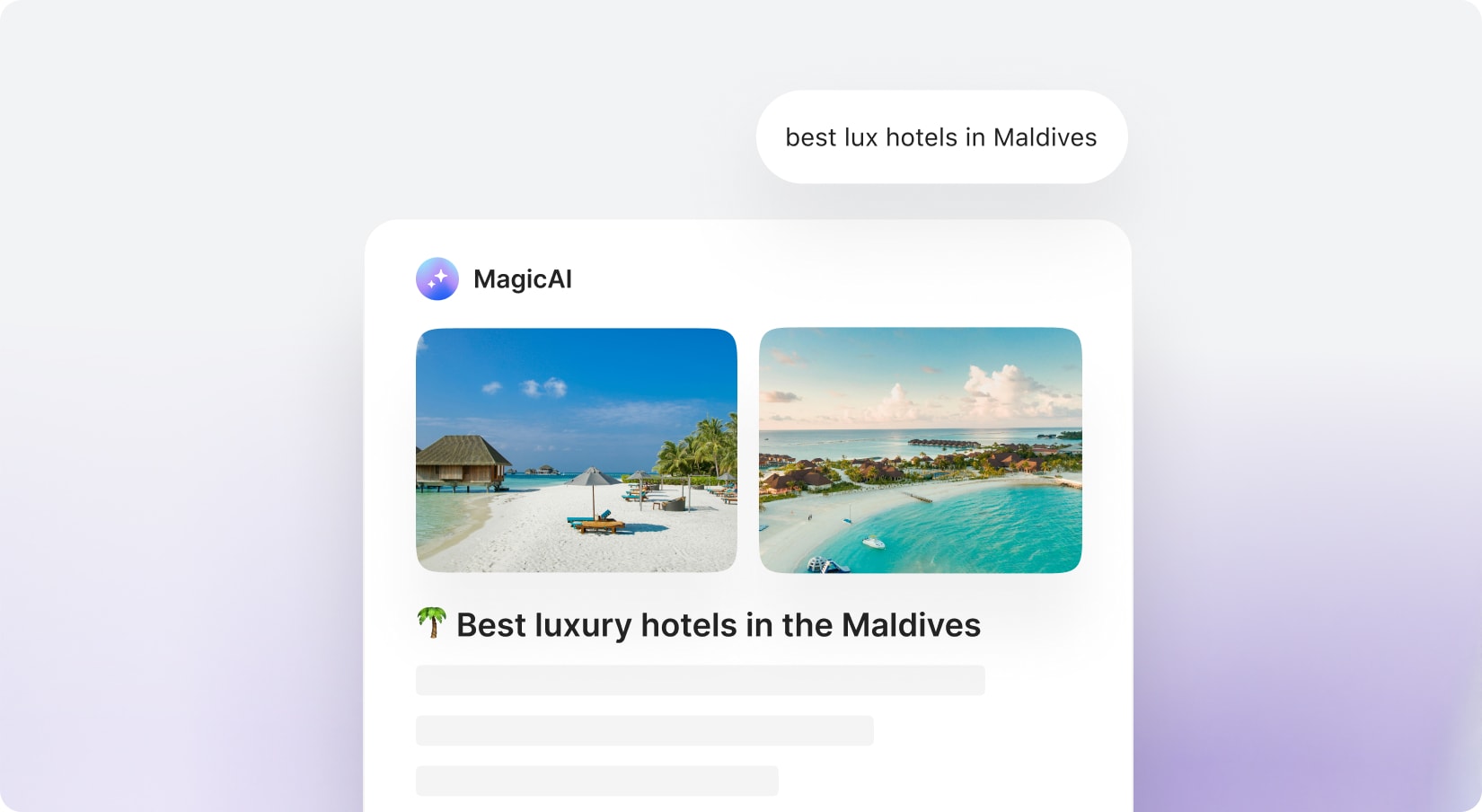
Enhancing AI Chat Pro with Smart Image Display—
a cleaner, more intelligent way to use visuals within conversations. The system automatically shows images only when they add real value (like inspiration, people, products, or places), with source links while keeping technical and text-based responses distraction-free.
With new budget-friendly API alternatives, you can achieve more while spending less. Use cleanup to remove imperfections, inpainting to add or replace elements, and reimagine to completely transform an image into something new. The generative fill feature allows you to intelligently fill in missing parts of an image, while the upscaler ensures high image quality even when enlarged. If you’re working with sketches, the sketch to image tool brings your hand-drawn ideas to life, converting them into polished visuals. Additionally, the remove and replace background tools give you full control over your image customization, making it easy to adapt your visuals for various use cases, from product shots and promotional materials to social media content.
Smart Highlight for AI Chat Pro
Introducing Entity Highlights—a smarter way to explore information directly inside AI Chat Pro. This feature automatically detects key entities like movies, apps, places, people, etc. and turns them into subtle, clickable highlights within responses—only when they add real value. With a single click, users can open a sleek side drawer to view rich details, including descriptions, images, and essential metadata—without interrupting the chat flow. Designed to stay clean and distraction-free, highlights appear only once per entity, under strict relevance and confidence rules.
With new budget-friendly API alternatives, you can achieve more while spending less. Use cleanup to remove imperfections, inpainting to add or replace elements, and reimagine to completely transform an image into something new. The generative fill feature allows you to intelligently fill in missing parts of an image, while the upscaler ensures high image quality even when enlarged. If you’re working with sketches, the sketch to image tool brings your hand-drawn ideas to life, converting them into polished visuals. Additionally, the remove and replace background tools give you full control over your image customization, making it easy to adapt your visuals for various use cases, from product shots and promotional materials to social media content.