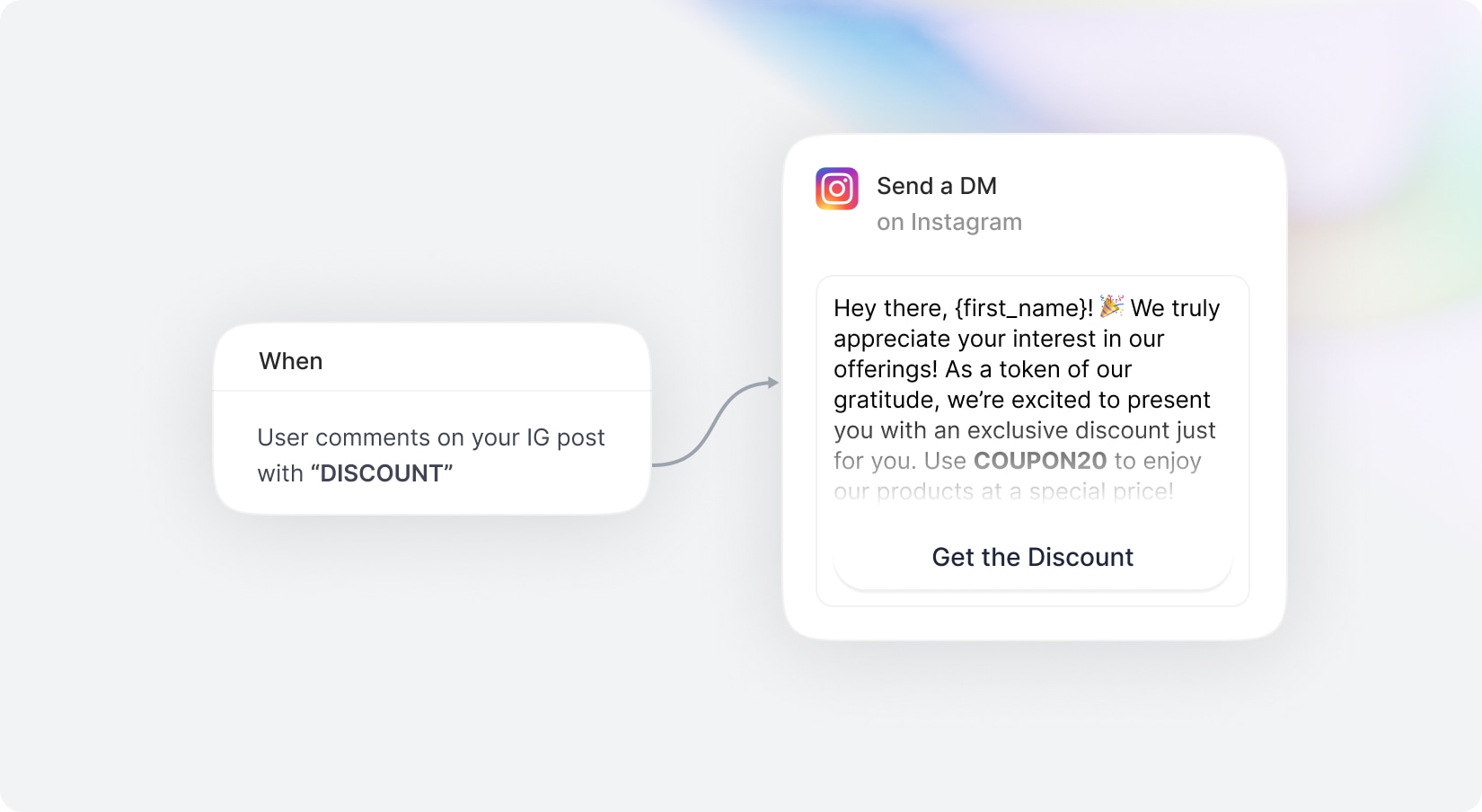
Automate your social media engagement with powerful AI agent that respond to comments, send DMs, and interact with your audience automatically across multiple platforms. The new Automation Builder for Social Media Suite allows you to create advanced comment and messaging Agents using an intuitive visual workflow interface.
Whether you want to instantly reply to comments, send personalized direct messages, capture leads, promote campaigns, or automate customer engagement, the Automation Builder helps you create smart agents in minutes.
Instagram – Automate comment replies and DM flows for posts and reels.
Facebook – Respond to comments and engage users automatically through Messenger.
X (Twitter) – Create automated workflows for supported replies and interactions.
Create automations using a modern workflow interface.
Trigger automations when users comment on your content.
Send personalized direct messages automatically after interactions.
Optional: Start automations when comments contain specific keywords or phrases
Apply automations to a specific post, all posts, or only the next published post.
Automatically reply publicly to comments with randomized response variations.
Reduce spam detection by rotating multiple response variations automatically.
Add text, buttons, quick replies, images, and delays inside your response.
With new budget-friendly API alternatives, you can achieve more while spending less. Use cleanup to remove imperfections, inpainting to add or replace elements, and reimagine to completely transform an image into something new. The generative fill feature allows you to intelligently fill in missing parts of an image, while the upscaler ensures high image quality even when enlarged. If you’re working with sketches, the sketch to image tool brings your hand-drawn ideas to life, converting them into polished visuals. Additionally, the remove and replace background tools give you full control over your image customization, making it easy to adapt your visuals for various use cases, from product shots and promotional materials to social media content.
Included with Premium Membership
AI Designer for Creative Suite
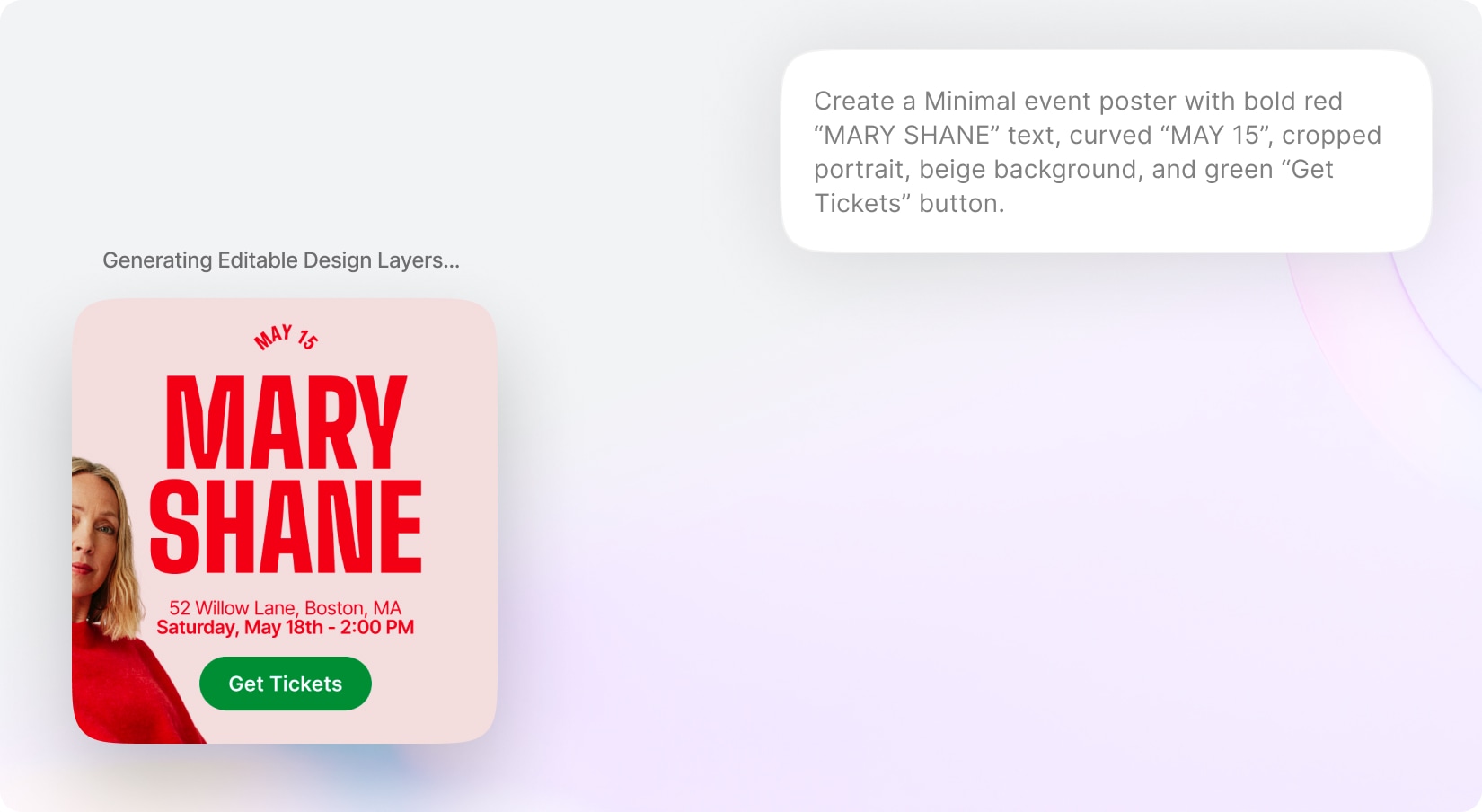
Bring AI-powered graphic design generation directly into Creative Suite with the new AI Designer. Users can simply describe the type of design they want — such as social media posts, advertisements, banners, promotions, presentations, flyers, or marketing creatives — and the AI will automatically generate a complete editable design. The AI understands the user’s intent and intelligently creates layouts, copywriting, images, composition, typography, and visual hierarchy to produce professional-looking creatives in seconds. Generated designs are fully editable inside Creative Suite, allowing users to replace text, swap images, customize elements, and continue refining the design manually after generation.
Easily edit, replace, or customize generated text and image.
Create visuals that align with different styles, industries, and campaign goals.
With new budget-friendly API alternatives, you can achieve more while spending less. Use cleanup to remove imperfections, inpainting to add or replace elements, and reimagine to completely transform an image into something new. The generative fill feature allows you to intelligently fill in missing parts of an image, while the upscaler ensures high image quality even when enlarged. If you’re working with sketches, the sketch to image tool brings your hand-drawn ideas to life, converting them into polished visuals. Additionally, the remove and replace background tools give you full control over your image customization, making it easy to adapt your visuals for various use cases, from product shots and promotional materials to social media content.
Included with Premium Membership
Annotation for AI Creative Suite
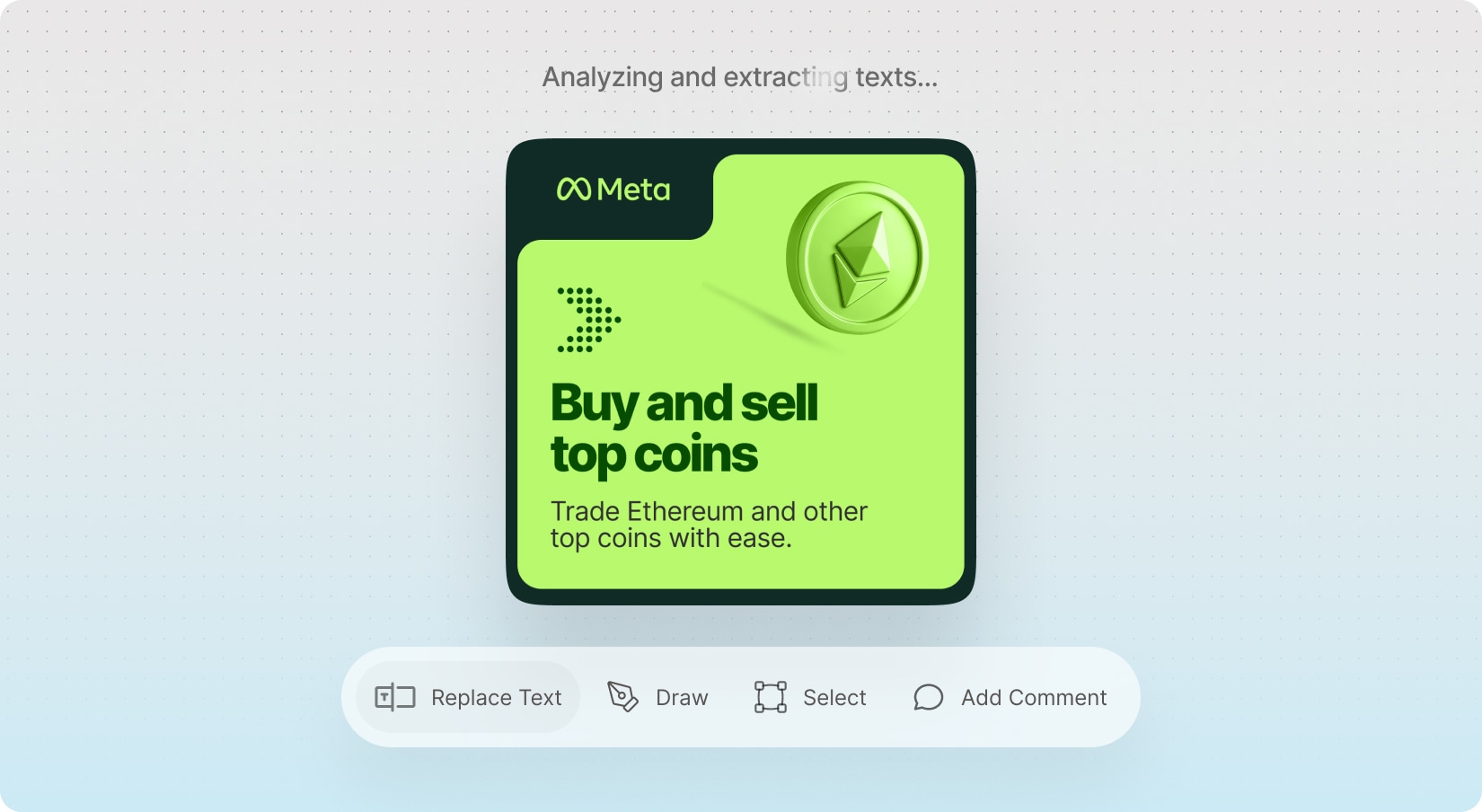
Enhance image editing precision with the new Annotation Mode for AI Creative Suite. Users can visually guide AI edits by selecting specific areas on an image, replacing texts, drawing masks, or attaching comments and instructions directly to make edits with AI. Annotation Mode makes edits more context-aware and controlled, helping users communicate exactly what should be changed while maintaining a smooth and reliable editing workflow. The system supports text replacement on rasterized images, comments, brushing and shape-based selections.
Edit images by visually selecting areas, replacing texts, drawing masks, and adding comments.
Enable a dedicated editing mode for creating targeted AI edit instructions on images.
Replace text inside rasterized (AI-Generated) images with AI-powered text detection.
Automatically analyzes the image, detects existing text elements, and allows users to replace them.
Add comments or edit instructions tied to specific points or regions on the image.
Paint masks freely for precise area selection and detailed edits.
Use rectangle, circle, lasso, or similar tools to define editable areas visually.
With new budget-friendly API alternatives, you can achieve more while spending less. Use cleanup to remove imperfections, inpainting to add or replace elements, and reimagine to completely transform an image into something new. The generative fill feature allows you to intelligently fill in missing parts of an image, while the upscaler ensures high image quality even when enlarged. If you’re working with sketches, the sketch to image tool brings your hand-drawn ideas to life, converting them into polished visuals. Additionally, the remove and replace background tools give you full control over your image customization, making it easy to adapt your visuals for various use cases, from product shots and promotional materials to social media content.
Included with Premium Membership
Skills
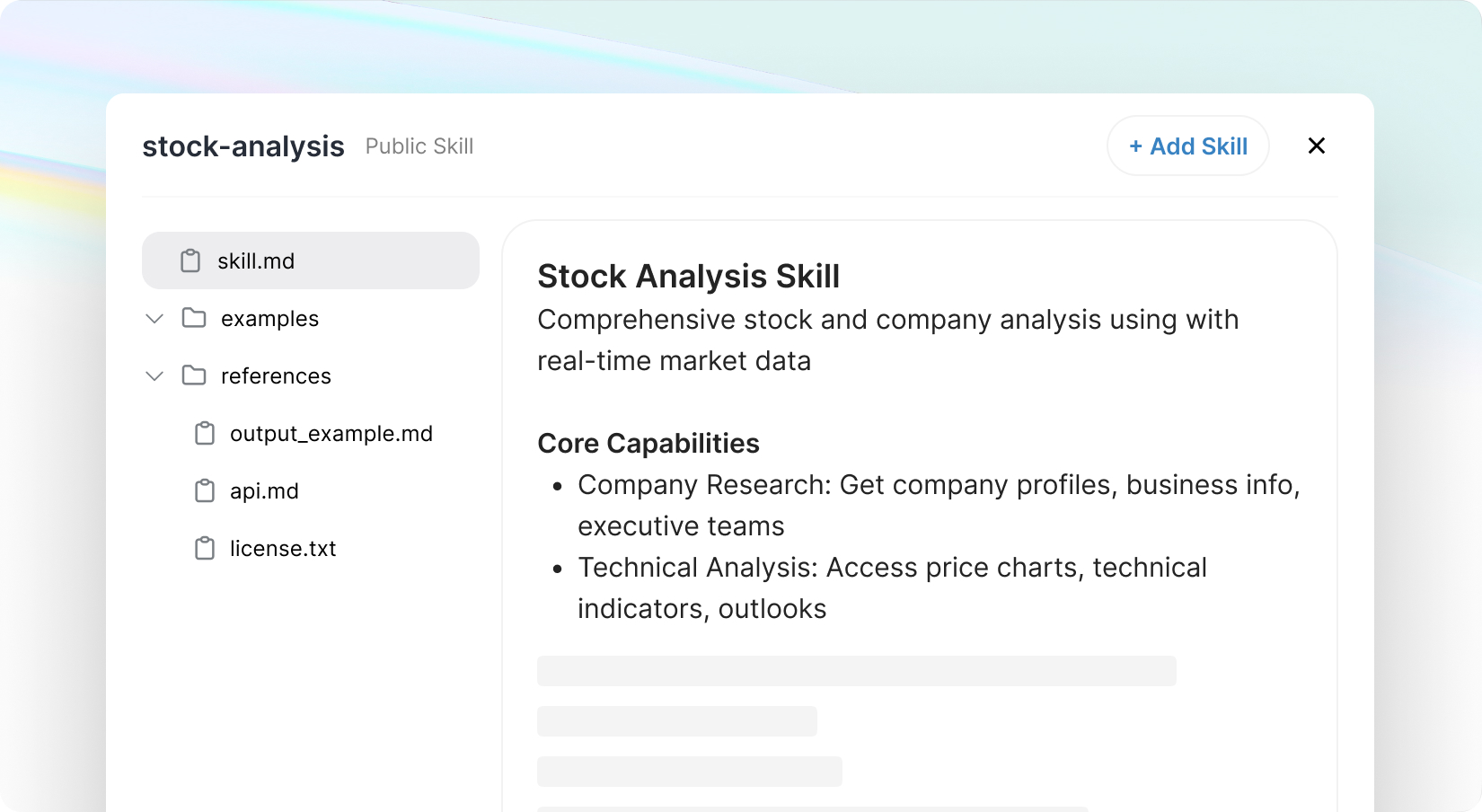
Taking your AI Chat Pro experience to the next level with the new Skills System. Easily create, import, and reuse powerful AI capabilities using /skill-creator, or add ready-made Skills—including multi-file setups with resources and references—via file upload or GitHub.
With built-in tools for creation, validation, and previews, everything flows smoothly. Instantly trigger and search Skills or let the AI apply them automatically when needed. Let your users can craft their own skills or build a personalized Skill Archive as an admin. Optimized for performance with smart loading, Skills bring smarter,
more customizable interactions to your AI.
Support multi-file Skills with resources & references
Built-in validation and preview before install
Search and manage personal & public Skill libraries
Admin-controlled shared Skill archive
Trigger Skills instantly or run automatically
With new budget-friendly API alternatives, you can achieve more while spending less. Use cleanup to remove imperfections, inpainting to add or replace elements, and reimagine to completely transform an image into something new. The generative fill feature allows you to intelligently fill in missing parts of an image, while the upscaler ensures high image quality even when enlarged. If you’re working with sketches, the sketch to image tool brings your hand-drawn ideas to life, converting them into polished visuals. Additionally, the remove and replace background tools give you full control over your image customization, making it easy to adapt your visuals for various use cases, from product shots and promotional materials to social media content.
Included with Premium Membership
AI Council Mode
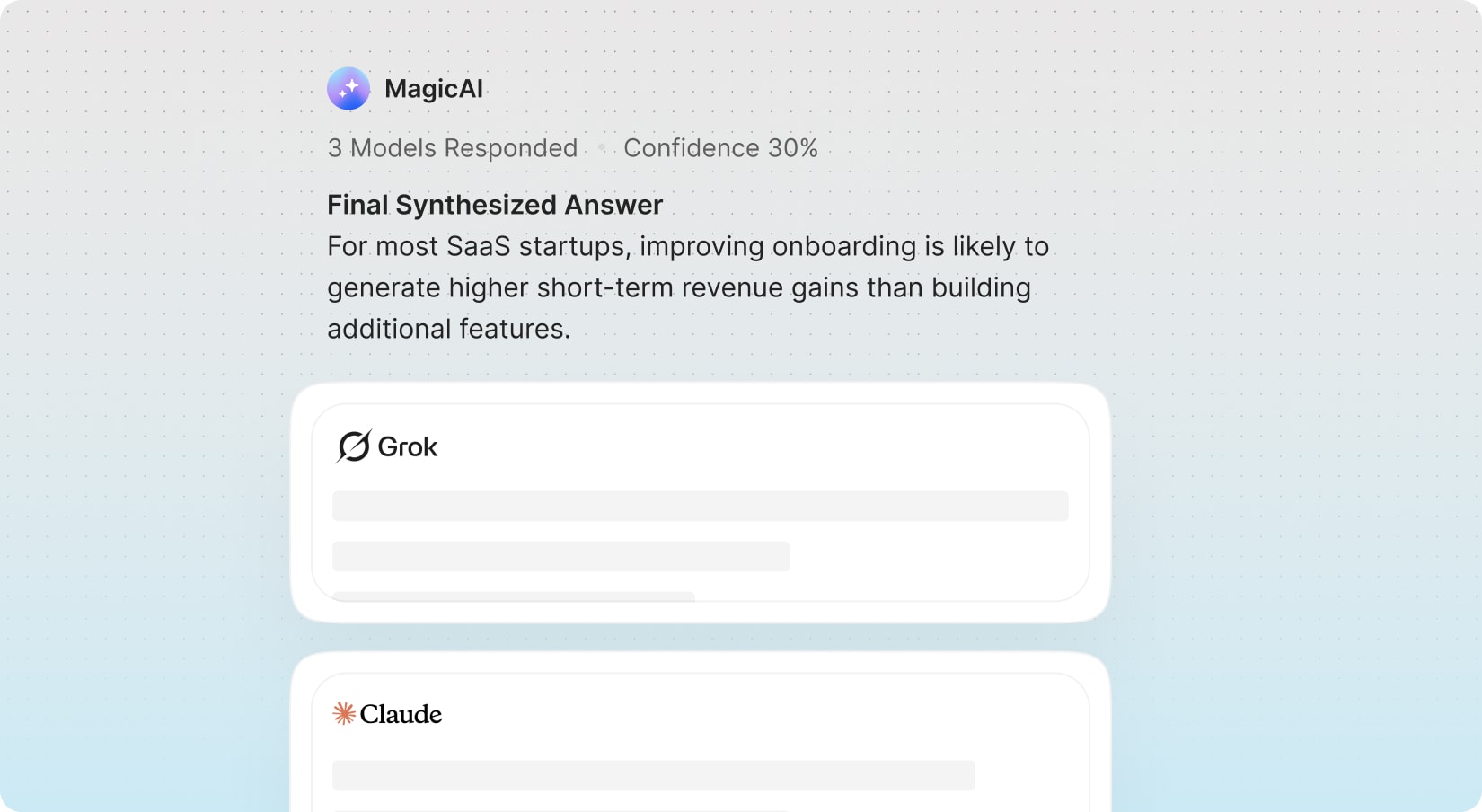
Model Council & Collaboration lets you run multiple AI models in parallel (OpenAI, Gemini, Anthropic, and more) and combines their outputs into a single response.
Each prompt is analyzed across selected models, with results aggregated into a structured view showing agreements, disagreements, and key insights—followed by a refined Consensus Answer with a confidence score. Users can explore individual model outputs, while the system intelligently handles failures and ensures smooth performance.
With new budget-friendly API alternatives, you can achieve more while spending less. Use cleanup to remove imperfections, inpainting to add or replace elements, and reimagine to completely transform an image into something new. The generative fill feature allows you to intelligently fill in missing parts of an image, while the upscaler ensures high image quality even when enlarged. If you’re working with sketches, the sketch to image tool brings your hand-drawn ideas to life, converting them into polished visuals. Additionally, the remove and replace background tools give you full control over your image customization, making it easy to adapt your visuals for various use cases, from product shots and promotional materials to social media content.
Included with Premium Membership
AI Deep Research
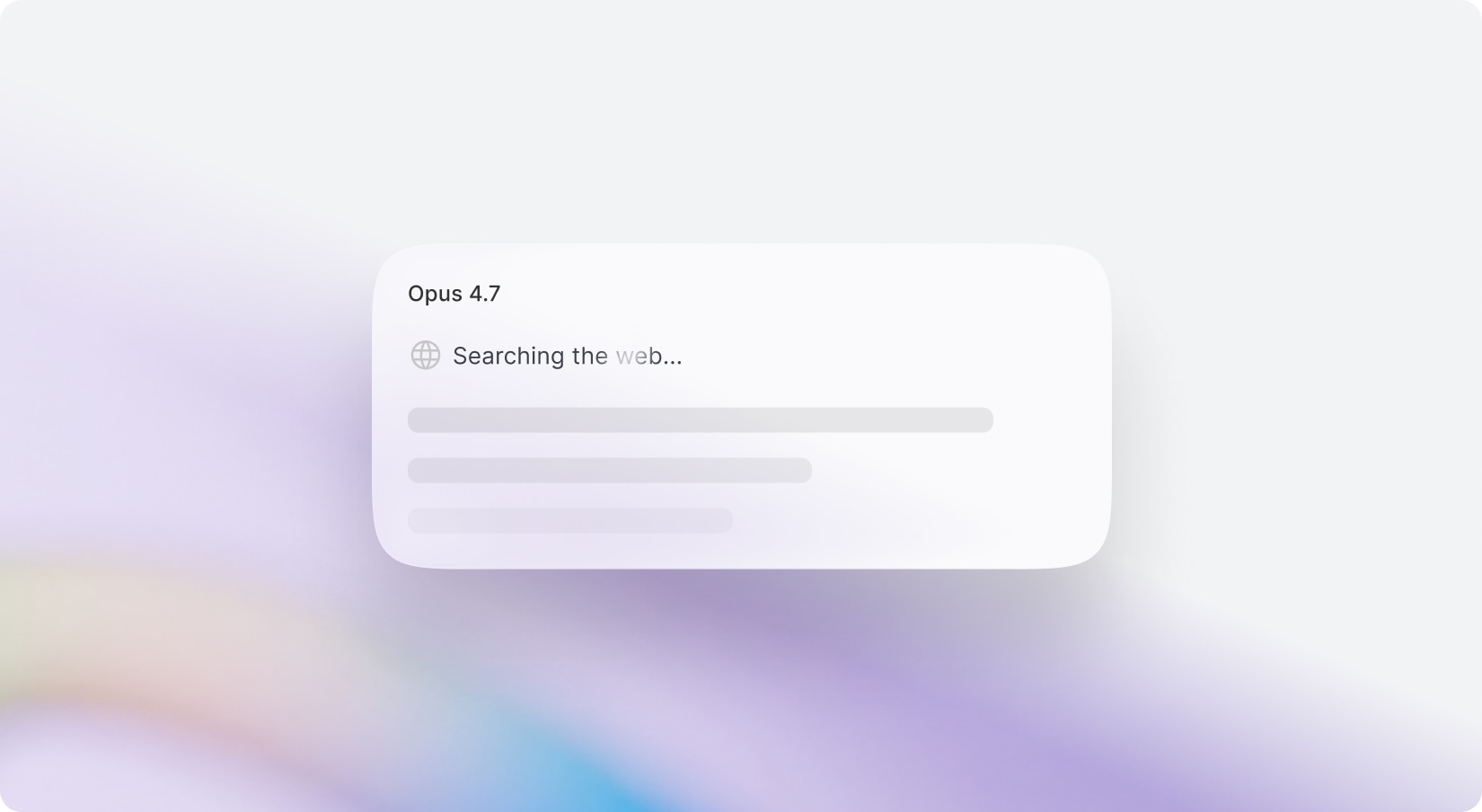
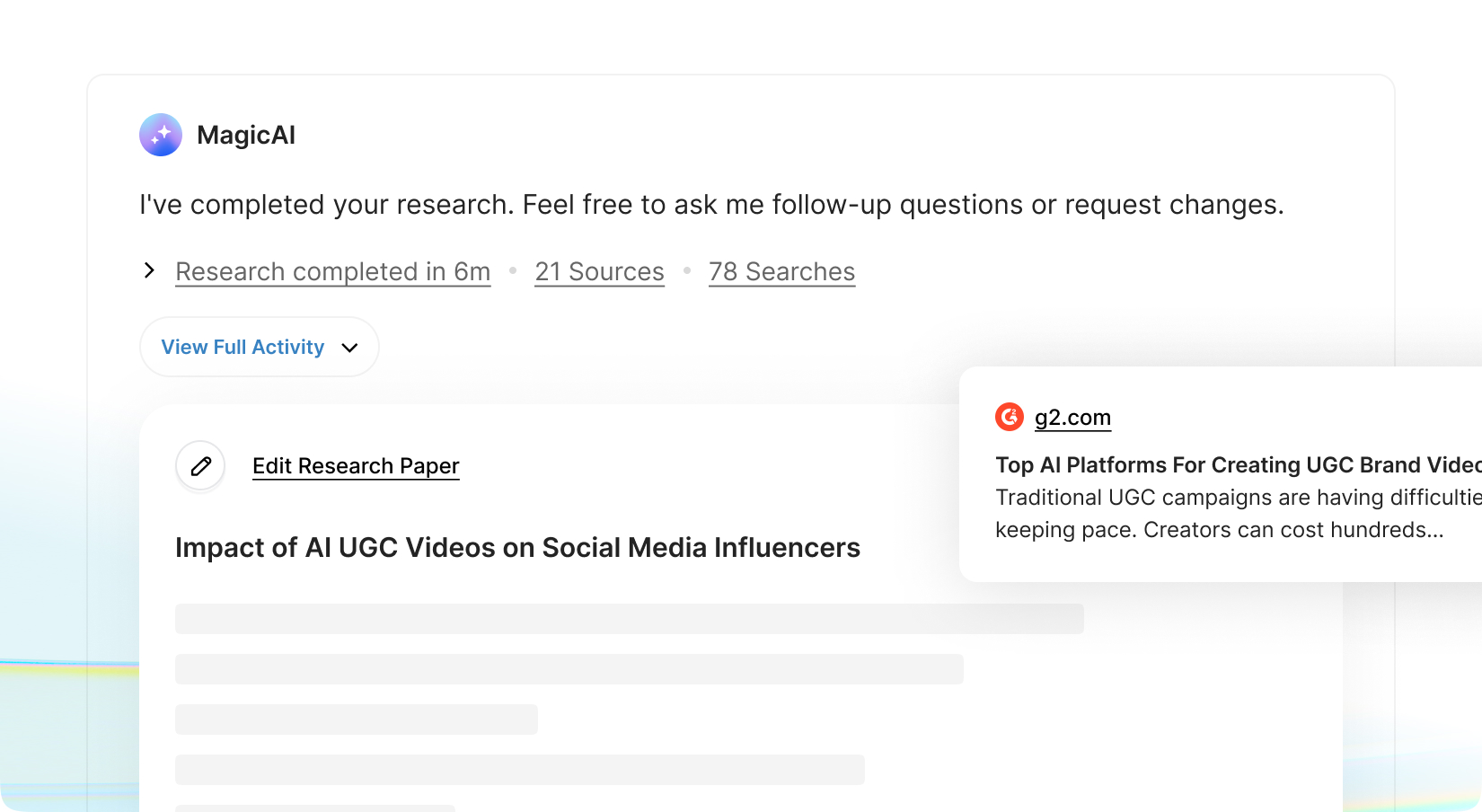
Unlock advanced Deep Research capabilities directly within your chat experience. Your users can now instantly switch to Deep Research Mode and transform simple prompts into comprehensive, multi-step investigations. When activated, queries are routed through research-capable AI providers such as OpenAI and Gemini, ensuring access to models optimized for analytical depth, structured reasoning, web research, and extended context handling alongside with the source and citations.
Turn simple prompts into structured, multi-step investigations
Leverage research-optimized high-reasoning models from OpenAI & Gemini
Generate deeper, more analytical, and structured answers
Handle complex topics with extended context and reasoning
Set limits per pricing plan
With new budget-friendly API alternatives, you can achieve more while spending less. Use cleanup to remove imperfections, inpainting to add or replace elements, and reimagine to completely transform an image into something new. The generative fill feature allows you to intelligently fill in missing parts of an image, while the upscaler ensures high image quality even when enlarged. If you’re working with sketches, the sketch to image tool brings your hand-drawn ideas to life, converting them into polished visuals. Additionally, the remove and replace background tools give you full control over your image customization, making it easy to adapt your visuals for various use cases, from product shots and promotional materials to social media content.
Smart Image Display for AI Chat Pro
Enhancing AI Chat Pro with Smart Image Display—
a cleaner, more intelligent way to use visuals within conversations. The system automatically shows images only when they add real value (like inspiration, people, products, or places), with source links while keeping technical and text-based responses distraction-free.
With new budget-friendly API alternatives, you can achieve more while spending less. Use cleanup to remove imperfections, inpainting to add or replace elements, and reimagine to completely transform an image into something new. The generative fill feature allows you to intelligently fill in missing parts of an image, while the upscaler ensures high image quality even when enlarged. If you’re working with sketches, the sketch to image tool brings your hand-drawn ideas to life, converting them into polished visuals. Additionally, the remove and replace background tools give you full control over your image customization, making it easy to adapt your visuals for various use cases, from product shots and promotional materials to social media content.
Smart Highlight for AI Chat Pro
Introducing Entity Highlights—a smarter way to explore information directly inside AI Chat Pro. This feature automatically detects key entities like movies, apps, places, people, etc. and turns them into subtle, clickable highlights within responses—only when they add real value. With a single click, users can open a sleek side drawer to view rich details, including descriptions, images, and essential metadata—without interrupting the chat flow. Designed to stay clean and distraction-free, highlights appear only once per entity, under strict relevance and confidence rules.
With new budget-friendly API alternatives, you can achieve more while spending less. Use cleanup to remove imperfections, inpainting to add or replace elements, and reimagine to completely transform an image into something new. The generative fill feature allows you to intelligently fill in missing parts of an image, while the upscaler ensures high image quality even when enlarged. If you’re working with sketches, the sketch to image tool brings your hand-drawn ideas to life, converting them into polished visuals. Additionally, the remove and replace background tools give you full control over your image customization, making it easy to adapt your visuals for various use cases, from product shots and promotional materials to social media content.
Chat Navigator for AI Chat Pro
Adds subtle navigation buttons on the side of the chat, allowing users to quickly jump between different prompts in long discussions. Hovering over each button reveals a preview of the related user input, while clicking smoothly scrolls to that exact point in the conversation. The system activates only after a certain number of prompts, keeping shorter chats clean and uncluttered.
Designed for speed and clarity, Chat Navigation makes it effortless to revisit key moments and stay in control of even the longest conversations.
With new budget-friendly API alternatives, you can achieve more while spending less. Use cleanup to remove imperfections, inpainting to add or replace elements, and reimagine to completely transform an image into something new. The generative fill feature allows you to intelligently fill in missing parts of an image, while the upscaler ensures high image quality even when enlarged. If you’re working with sketches, the sketch to image tool brings your hand-drawn ideas to life, converting them into polished visuals. Additionally, the remove and replace background tools give you full control over your image customization, making it easy to adapt your visuals for various use cases, from product shots and promotional materials to social media content.
Redesigned AI Chat Pro
Refining the chat experience with a cleaner, more intuitive Tool Access Menu. This update moves advanced options like Deep Research, Skills, Upload, Canvas, Web Search, BrandVoice, and Prompt Library into a compact context menu triggered by the “+” button—reducing clutter and keeping the interface focused. Realtime Web Search is also relocated into this new popover for better accessibility.
With improved text handling for longer inputs and a streamlined layout inspired by modern chat interfaces, this update delivers a faster, more organized, and user-friendly workflow.
With new budget-friendly API alternatives, you can achieve more while spending less. Use cleanup to remove imperfections, inpainting to add or replace elements, and reimagine to completely transform an image into something new. The generative fill feature allows you to intelligently fill in missing parts of an image, while the upscaler ensures high image quality even when enlarged. If you’re working with sketches, the sketch to image tool brings your hand-drawn ideas to life, converting them into polished visuals. Additionally, the remove and replace background tools give you full control over your image customization, making it easy to adapt your visuals for various use cases, from product shots and promotional materials to social media content.
Redesigned Sidebar Menus
To maintain a neat and efficient interface, MagicAI’s sidebar has been enhanced to support multi-level menus that users can effortlessly expand or collapse. This improvement allows users to better organize their workspace by making navigation easier and more intuitive.
With new budget-friendly API alternatives, you can achieve more while spending less. Use cleanup to remove imperfections, inpainting to add or replace elements, and reimagine to completely transform an image into something new. The generative fill feature allows you to intelligently fill in missing parts of an image, while the upscaler ensures high image quality even when enlarged. If you’re working with sketches, the sketch to image tool brings your hand-drawn ideas to life, converting them into polished visuals. Additionally, the remove and replace background tools give you full control over your image customization, making it easy to adapt your visuals for various use cases, from product shots and promotional materials to social media content.
Free Update for External Chatbot
Agentic Era for External Chatbot
Taking your AI chatbot's intelligence, security, and engagement to the next level with External Chatbot v3.
We've integrated cutting-edge AI models from OpenAI, Gemini, and Anthropic to power the new External Chatbot. Version 3 elevates the chat experience with AI-assisted image analysis, customizable notification sounds, downloadable chat exports, and options to gather user feedback directly within the chat. Suggested prompts enable visitors to initiate conversations effortlessly, while interactive welcome bubbles greet users and highlight essential actions and campaigns, making it simpler than ever to start chatting.
New AI providers for External Chatbot: Anthropic and Gemini
Limit chatbot features and usage based on the pricing plan
Initiate conversations effortlessly with suggested prompts
Engaging welcome bubble designs that help capture leads
Gather feedback from your users directly within chat.
Utilize AI for attachment and image analysis
Download conversations as user for future reference.
Restrict external chatbot usage to trusted domains only.
Receive notifications and sounds for unread messages.
Stay informed with GDPR notifications.
With new budget-friendly API alternatives, you can achieve more while spending less. Use cleanup to remove imperfections, inpainting to add or replace elements, and reimagine to completely transform an image into something new. The generative fill feature allows you to intelligently fill in missing parts of an image, while the upscaler ensures high image quality even when enlarged. If you’re working with sketches, the sketch to image tool brings your hand-drawn ideas to life, converting them into polished visuals. Additionally, the remove and replace background tools give you full control over your image customization, making it easy to adapt your visuals for various use cases, from product shots and promotional materials to social media content.