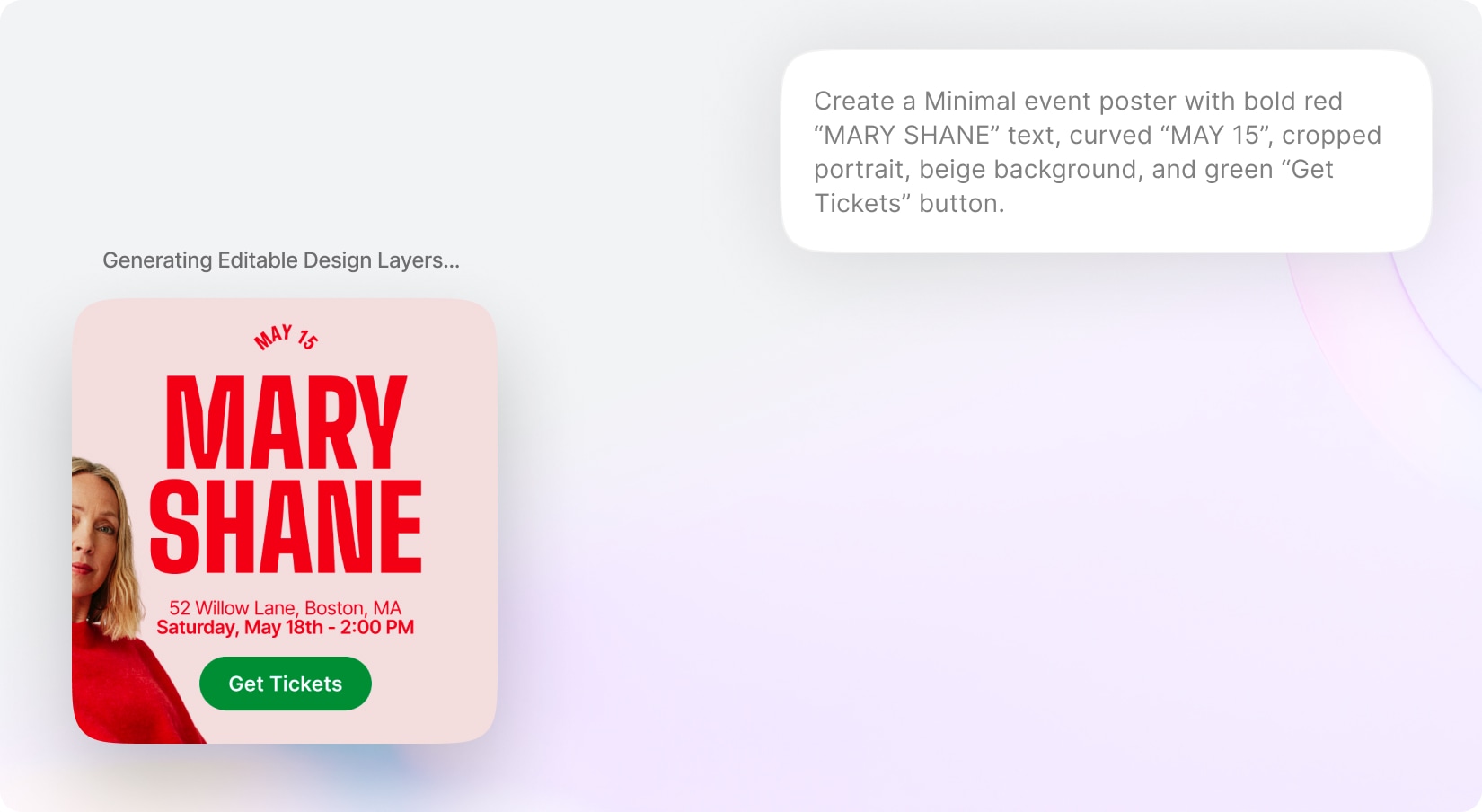
Bring AI-powered graphic design generation directly into Creative Suite with the new AI Designer. Users can simply describe the type of design they want — such as social media posts, advertisements, banners, promotions, presentations, flyers, or marketing creatives — and the AI will automatically generate a complete editable design. The AI understands the user’s intent and intelligently creates layouts, copywriting, images, composition, typography, and visual hierarchy to produce professional-looking creatives in seconds. Generated designs are fully editable inside Creative Suite, allowing users to replace text, swap images, customize elements, and continue refining the design manually after generation.
Easily edit, replace, or customize generated text and image.
Create visuals that align with different styles, industries, and campaign goals.
With new budget-friendly API alternatives, you can achieve more while spending less. Use cleanup to remove imperfections, inpainting to add or replace elements, and reimagine to completely transform an image into something new. The generative fill feature allows you to intelligently fill in missing parts of an image, while the upscaler ensures high image quality even when enlarged. If you’re working with sketches, the sketch to image tool brings your hand-drawn ideas to life, converting them into polished visuals. Additionally, the remove and replace background tools give you full control over your image customization, making it easy to adapt your visuals for various use cases, from product shots and promotional materials to social media content.